Last updated:
Key takeaways
- You do not need a professional camera. Staging, lighting, and angle matter more than equipment.
- Photograph every room, always shoot from a corner at hip height, and never use the built-in front camera.
- Turn on all lights, open all blinds, and remove personal items and clutter before shooting.
- Aim for 12–20 images that tell a coherent story of the apartment from entrance to the view from the best window.
- For apartments above 1,500 EUR/month all-inclusive, professional photography pays for itself within one faster booking.
Quick answer
Declutter completely, turn on every light, open every blind. Use your phone's wide-angle lens. Shoot from a corner at hip height (1m), keeping vertical lines straight. Aim for 12–20 images in natural shooting order from entrance to best view. Edit for brightness and colour correction only. Do not use fisheye angles or virtual staging software.
Why listing photos make or break your booking rate
A prospective tenant on Wunderflats makes a first judgement about your apartment within three seconds of the first photo loading. Before they read the price, check the location, or look at the floor plan, the photos have already answered their primary question: does this apartment feel like somewhere I'd want to live?
Dark photos signal an apartment with poor natural light. Cluttered photos signal poor maintenance. A single blurry photo signals a landlord who doesn't care enough to review the images before publishing. Photos taken at the wrong angle make rooms look smaller than they are and push a price-per-m² comparison against the listing's favour. These are not hypothetical risks: they determine how often prospective tenants click through, how long they stay on the listing, and whether they send an inquiry.
The good news is that great listing photos do not require expensive equipment or a professional photographer. They require a clear understanding of what makes a rental photo work — and about 90 minutes of preparation before you pick up the camera.
Preparation: the 80% of photography that happens before shooting
The majority of the work that separates a professional-quality listing photo from an amateur one happens before the camera is even raised. These are the preparation steps that are non-negotiable:
Remove everything personal. Before photographing, remove all personal items: family photos, children's toys, clothes on chairs, items on kitchen counters, toiletries from bathroom shelves, magnets from the fridge. The apartment should look like it was prepared for a photo shoot in a design magazine, not like someone has just finished living in it. This is not dishonesty — it is standard practice and the correct presentation of what the tenant will receive: a clean, neutral space they can make their own.
Clean everything visible. Windows especially. A smeared window pane in front of a garden view will ruin an otherwise excellent photo. Mirrors, glass table surfaces, and oven doors are also frequent culprits. Wipe them down immediately before photographing.
Make the bed perfectly. A neatly made bed with plumped pillows and a smooth duvet cover reads as a premium product. An unmade or loosely made bed suggests low standards. Invest in high-quality white or neutral-toned bed linen for photographs — it photographs significantly better than patterned linen and makes the room appear larger.
Add minimal, purposeful styling. A bowl of fruit in the kitchen, a plant near a window, a folded towel on the bathroom shelf — these touches add warmth without clutter. Do not over-stage: three well-placed objects are better than twelve randomly distributed ones.
Prepare the lighting. Turn on every light fixture in the apartment, including bedside lamps and kitchen under-cabinet lighting. Open every blind and curtain fully. The combination of natural light and supplemented artificial light gives the apartment the brightest, most welcoming appearance possible.
Equipment: what you need and what you don't
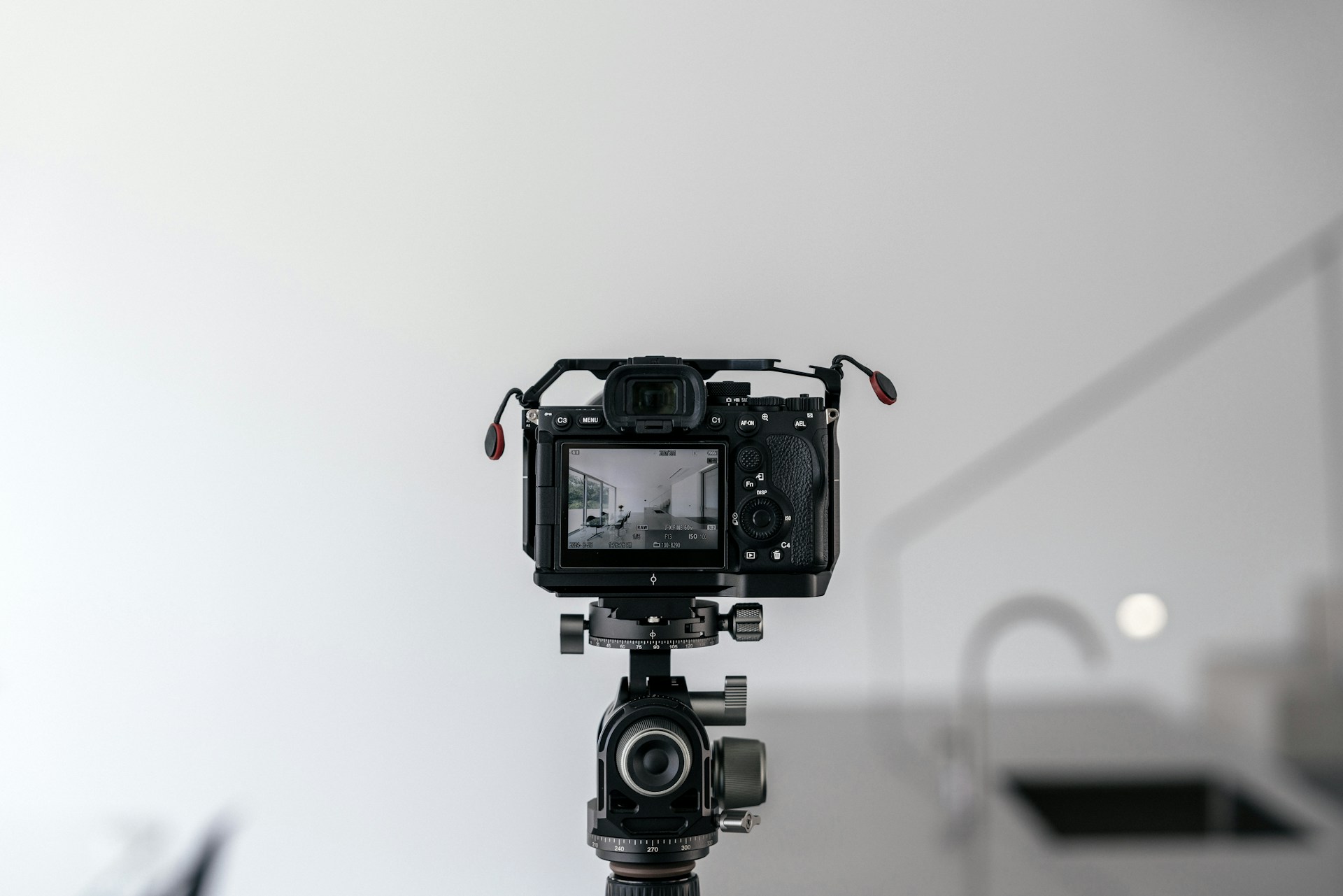
What you need: A smartphone from the last three years with a wide-angle camera (the ultra-wide 0.5x or 13mm lens available on most current flagship phones), or a DSLR or mirrorless camera with a 16–24mm equivalent wide-angle lens. A small tripod or tabletop tripod — these cost 15–25 EUR and eliminate camera shake entirely. A free photo editing app (Lightroom Mobile or Snapseed are both excellent and free).
What helps but is optional: A clip-on wide-angle lens adapter for your phone (20–50 EUR), which is particularly useful for small rooms like bathrooms where the built-in wide-angle is not wide enough. A portable LED panel light (40–100 EUR) for north-facing rooms that struggle even with all natural light sources open.
What you don't need: A fisheye or super-wide-angle lens that distorts straight lines into curves — these make rooms look surreal rather than spacious and immediately mark a listing as amateur. A drone for exterior shots of a standard apartment — it reads as overproduction for a residential listing. Flash photography — on-camera flash creates harsh shadows and washed-out surfaces; natural light plus room lights always looks better. HDR modes on smartphones — most current HDR processing is excellent, but extreme HDR produces an unnaturally processed look that prospective tenants find off-putting.
15 tips for standout listing photos
Tip 1: Shoot from a corner at hip height. Stand in the corner furthest from the most important feature of the room (usually the far wall in a living room, the headboard in a bedroom). Hold or place the camera at approximately 1 metre above the floor — not at eye level (too high and the floor disappears) and not at floor level (you'll see ceiling rather than room). Corner positions include more of the room in a single frame than mid-wall positions.
Tip 2: Keep vertical lines vertical. The most common amateur photography error in interiors is leaning the camera slightly, which makes door frames and walls appear to tilt. Use the grid overlay on your phone camera (most phones have one in camera settings) to keep vertical lines perfectly straight. Correcting tilted verticals in post-editing is possible but imperfect — it's better to get it right in camera.
Tip 3: Use the wide-angle lens for every room except close-up detail shots. The 0.5x or ultra-wide lens on your phone (typically equivalent to about 13mm) is your primary tool for interior photography. It shows more of the room, makes spaces appear more spacious, and includes both the ceiling and the floor in a single frame. Switch to the main 1x lens for close-up detail photos (the desk setup, the kitchen hob, the bathroom basin).
Tip 4: Shoot toward windows, not away from them. Most beginner photographers stand with the window behind them to avoid the bright window appearing in the frame. The result is a room with flat, uninspiring light and a view of a blank wall. Turn around and shoot toward the window: the natural light creates depth, the window provides a focal point, and the room feels alive. Expose for the interior (tap the darker area of the frame on your phone screen), not the window — a slightly overexposed window is acceptable; an underexposed room is not.
Tip 5: Take every room twice. For each room, take one wide-angle establishing shot from the corner and one secondary shot from the opposite corner or the doorway. You will usually prefer one, but having both gives you options when editing. Do not post both: one photo per room is correct for all but the largest living spaces.
Tip 6: Use a tripod for every shot. A tripod eliminates camera shake, allows you to use lower shutter speeds in darker rooms without blur, and forces you to think carefully about composition before shooting rather than snap-and-move. A 15 EUR miniature tabletop tripod placed on a shelf or chair works as well as a full-height tripod for corner shots.
Tip 7: Turn on every single light. All ceiling lights, all floor lamps, all bedside lamps, all kitchen under-cabinet lights. Even if individual light sources look warm or slightly different in colour temperature, the cumulative effect of all lights on gives the room a bright, welcoming appearance. Individual colour temperature mismatches between warm bulbs and cool daylight are correctable in editing; a dark room is not.
Tip 8: Replace any blown or missing bulbs before shooting. A dead bulb in a row of downlights, a missing lamp shade, or a broken ceiling fixture in the background of a photo immediately signals maintenance issues. Walk through the apartment before your photography session and replace any non-functioning light sources.
Tip 9: Photograph the view from the best window. Stand at the window and photograph outward. Even an urban courtyard view, a canal, or a tree-lined street adds significant appeal. Many landlords skip this photo entirely; the ones who include it consistently report higher inquiry rates on comparable listings. If the view is genuinely unpleasant (a brick wall, a ventilation shaft), skip this step — but most apartments have at least one window worth photographing from.
Tip 10: Photograph the working setup specifically. The working professional tenant profile — the dominant Wunderflats segment — is explicitly evaluating whether they can work comfortably from the apartment. A photo of the desk with the chair in position, the monitor or laptop space, and the nearest power outlet visible is one of the highest-conversion photos in a furnished rental listing. Make the desk look ready to use, not like a storage surface.
Tip 11: Include a building entrance shot. One exterior photo of the building entrance or street-level facade orients the tenant before arrival, reduces first-visit anxiety, and demonstrates that the property is a real, maintained building. A well-maintained building entrance (clean, with a clearly visible address) adds trust. Do not photograph a dirty or damaged entrance — fix it first if possible, or crop it out.
Tip 12: Never use digital zoom. Zooming in digitally on a phone camera reduces resolution and adds noise. Instead of zooming in, physically walk closer to your subject. The only exception: some phones have a dedicated 2x telephoto lens that is optically better than the main camera at that zoom level. If your phone has a physical 2x telephoto, use it for compressed detail shots. Anything beyond 2x optical zoom should be avoided for listing photos.
Tip 13: Close toilet lids, fold towels, remove bath mats. These bathroom specifics are consistently missed. A closed toilet lid, a neatly folded towel, and a clean sink (no soap bar residue, no toothbrushes) are the minimum for a bathroom photo that adds value rather than undermining it. Clean the mirror. If the bathroom is small, the door-open-from-outside angle (showing the sink, the mirror, and ideally part of the shower or bath) is the correct approach — this gives more depth than photographing inside the bathroom.
Tip 14: Use landscape orientation for all room photos and the cover photo. Wunderflats and most rental platforms display listing photos in landscape (horizontal) format. A portrait (vertical) photo will be cropped or letterboxed, losing information. All room shots should be horizontal. The one exception is a tall window or a distinctive architectural feature with a strong vertical element, where a portrait detail shot can work as a secondary image in the gallery.
Tip 15: Choose your cover photo last, not first. The cover photo is the most important single image in your listing — it is the one prospective tenants see in search results before clicking through. After completing all your room shots, select the cover photo from the full set. It should show the most spacious and brightest room in the apartment, ideally with natural light visible through a window. If the apartment has a particularly distinctive feature (original Parisian Haussmann parquet floor, exposed brick, a balcony with a city view), that should be the cover photo.
Room-by-room guide
Living room
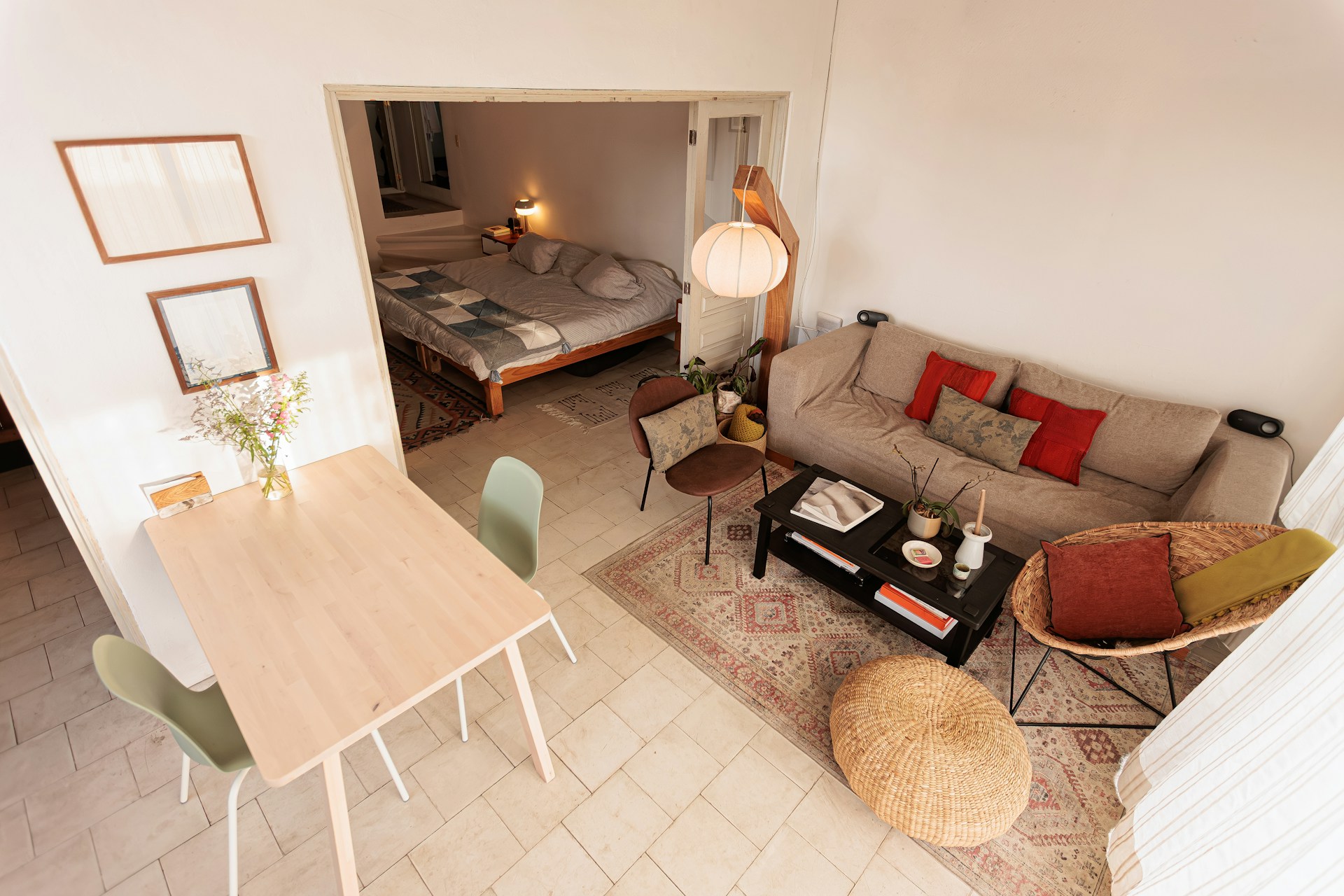
The living room is your highest-impact room. Clear the sofa of cushions that don't match, straighten any rugs, and clear surfaces. Position any plants near windows. Shoot from the corner furthest from the focal wall (typically the wall with the sofa against it), angled toward the windows. Take one wide-angle establishing shot and one secondary shot from the doorway.
Bedroom
Make the bed with your best linen, plump the pillows, and smooth the duvet. Remove items from bedside tables except for a lamp and a single decorative object. Clear the floor entirely. Shoot from the doorway or the corner diagonally opposite the headboard, low enough to show both the bed and the ceiling. The headboard should be in the frame, with the room extending behind it.
Kitchen
Clear all countertops completely. Add one styled element: a bowl of fruit or a French press coffee maker. If you have a dishwasher, close it. Close all cabinet doors. Make sure the hob is clean. Photograph from the corner or doorway with the full counter run visible. Include one close-up of the appliances (oven, hob, fridge) if they are new or distinctive.
Bathroom
Clean the mirror, close the toilet lid, fold a fresh towel neatly over the towel rail, remove all personal toiletries. Photograph from the doorway with the door pushed fully open: this gives the widest field of view. If the bathroom is very small, a 12mm wide-angle shot from the doorway is the most effective approach.
Home office / working area
Clear the desk completely, then add only the items that communicate "ready to work": a clean laptop position (or a laptop if you have one to place), a visible power socket, good desk lighting. Photograph the desk slightly from the side so the chair and working depth are visible, not just the desk surface from above.
Editing: how to adjust without distorting
Good listing photos need minimal editing. The goal is to correct — not enhance. These are the only adjustments worth making:
Brightness and exposure. Lift the exposure slightly if the photo looks darker than the room felt in person. Reduce the highlights slightly if bright windows are blown out. Most rooms need a modest +0.3 to +0.7 exposure lift in Lightroom Mobile or Snapseed to match how they actually look to the eye.
White balance. Mixed light sources (warm bulbs plus cool daylight) can produce a slightly green or orange cast. A small adjustment to the temperature slider (slightly cooler if the room looks yellow, slightly warmer if it looks blue) corrects this. Do not push white balance toward artificial warmth or coolness — the result looks processed.
Vertical correction. If any walls or door frames are slightly tilted, use the geometry or transform tools in Lightroom or Snapseed to straighten them. Most apps have an auto-correct option that handles this well for architecture photos.
What not to do. Do not use clarity, texture, or saturation at high values — they create an over-processed look that reads as trying to hide something. Do not use HDR stacking unless you know what you are doing — the standard result is that the image looks luminous in a way that no apartment actually looks, which creates a trust deficit when the tenant arrives and the apartment looks different from the photos. Never digitally alter the size or shape of rooms or use AI room-filling tools.
When to hire a professional photographer
Professional real estate photography in Germany and France costs 150–400 EUR for a full apartment shoot, including editing, and delivers images within 24–48 hours. For most apartments above 1,500 EUR/month all-inclusive, a professional shoot is a sound commercial decision. Booking the apartment one week faster at that price point returns 375 EUR — more than the cost of a mid-range photographer. Booking it two weeks faster makes the economics unambiguous.
Specific situations where professional photography is worth prioritising: apartments with large windows and strong natural light (a professional photographer knows how to expose for these without losing the interior); apartments with distinctive architecture (Haussmann apartments in Paris, Gründerzeit buildings in Berlin, exposed industrial beams); apartments with outdoor spaces (balconies, roof terraces, courtyards) that require bracketing or HDR techniques to photograph correctly; and furnished apartments being re-listed after a hiatus, where fresh high-quality photos signal a refreshed offering.
Where DIY photography is entirely adequate: studios and one-room apartments where the single-room composition is straightforward; apartments with standard furnishing and no distinctive features; and re-shoots of an existing listing where only one or two photos need updating. A well-executed smartphone shoot following this guide will produce results comparable to professional photography in these cases.
Frequently asked questions about apartment listing photography
▶ Do I need a professional camera to photograph my apartment?
No. A modern flagship smartphone — iPhone 14 or later, Samsung Galaxy S22 or later, or any current mid-range Android with a wide-angle camera — is capable of producing listing photos that perform as well as DSLR photos in comparative tests on rental platforms. Professional cameras have advantages in very low-light conditions and for very large, complex spaces, but neither of these describes the typical furnished apartment listing.
The difference between a good and a bad listing photo is almost always about preparation, staging, lighting, and shooting angle — not camera resolution or lens specification. A professional camera does not fix a cluttered room, a dark interior, or a poorly chosen shooting position.
The one useful equipment upgrade is a clip-on wide-angle lens adapter for your phone (20–50 EUR at most camera shops). This gives you a field of view closer to 12–14mm, which allows you to include more of a small room in a single frame. For bathrooms and compact kitchens, it makes a noticeable difference.
▶ What is the best time of day to photograph an apartment?
The best time depends on how your apartment's windows are oriented. For south-facing and east-facing rooms, mid-morning (09:00–11:00) on a bright but not fully sunny day produces clean, even light without the harsh direct-sun shadows you get at noon. West-facing rooms photograph best in the late afternoon (15:00–17:00). North-facing rooms have no preferred time — they receive no direct sunlight at any hour — and benefit most from supplementary lighting.
Golden hour (the 60–90 minutes after sunrise and before sunset) is the professional photographer's preference because the light is warm, soft, and directional. For most landlords, this requires either a very early shoot (sunrise in Berlin in July is around 04:45) or careful scheduling for the late afternoon in summer. It is worth the effort for apartments with east- or west-facing windows that have a strong view.
The worst time: midday direct sunshine through south-facing windows. The contrast between the bright exterior and the darker interior is very difficult to handle without HDR processing, which tends to produce an unnatural result. If you must photograph at midday with direct sun, close the blinds partially to reduce the contrast and shoot toward the well-lit interior rather than toward the windows.
▶ How many photos should my rental listing have?
12–20 well-selected, high-quality images is the optimal range for a furnished rental listing. Fewer than 10 photos is a signal that the landlord is either inexperienced or hiding something; prospective tenants form this conclusion rapidly and click away. More than 25 photos with repetitive angles or similar compositions adds no value and may suggest the landlord is overcompensating for weaknesses in the apartment.
The minimum set that a complete listing should include: living room (1–2 images), bedroom (1 image per bedroom), kitchen (1–2 images), bathroom (1 image per bathroom), working area (1 image), building entrance or exterior (1 image), and one view from the best window (1 image). That is typically 8–12 photos for a standard one- or two-room apartment.
Add to that set: balcony or terrace if present (1 image), any distinctive feature of the apartment (original parquet, vaulted ceiling, exposed brick — 1 image), and close-up detail shots of high-quality appliances or fixtures that justify the price point. Stop when you have covered everything that a prospective tenant would want to see. Any photo that does not add new information about the apartment should be cut.
▶ Should I hire a professional photographer for my rental listing?
For apartments priced above 1,500 EUR per month all-inclusive, professional photography almost always pays for itself. A professional real estate photographer in Germany or France charges 150–400 EUR for a full shoot with edited images. If professional photos help the apartment book one week faster, the return is 375 EUR at that price point — more than the cost of a mid-range photographer.
Professional photography is particularly worth the investment for: apartments with strong natural light from large windows (professionals know how to expose for bright windows without losing the interior); apartments with distinctive architecture or premium furnishing that a landlord photograph fails to communicate; apartments with outdoor spaces (balconies, terraces) that require exposure bracketing to show correctly; and any listing that has been sitting online for more than two weeks without a booking.
For compact apartments with standard furnishing and straightforward rectangular rooms, a carefully executed DIY shoot following this guide produces comparable results. The decision point is whether the apartment has features that require professional skill to capture — complex light, distinctive architecture, or outdoor space with a view. If it does, hire a professional. If it doesn't, a well-executed phone shoot with good preparation is entirely adequate.
Sources
- Wunderflats internal listing and photography guidance, 2026.
- Adobe Lightroom Mobile: getting started (Adobe Help Center)
- Snapseed by Google: photo editing app
- MagicPlan: floor plan and photo app (magicplan.app)
- Canvas by Trimble: professional scan-to-floor-plan app (trimble.com)